






Receiving a high-power GPON CATV EDFA is a significant investment for any HFC FTTx or XGS-PON project. Proper unpacking and initial inspection are critical not only for equipment safety but also for maintaining your warranty and insurance eligibility. Follow this professional 7-step guide to ensure your PL2000x series GPON CATV EDFA is ready for rack integration.
⚠️ PRE-UNPACKING SAFETY MANDATE
To prevent latent damage to internal pumpl laser components, always wear a grounded anti-static wrist strap and operate in an ESD-controlled environment. If the exterior chassis shows any sign of impact or puncture, do not apply power to avoid electrical shock or short circuits.
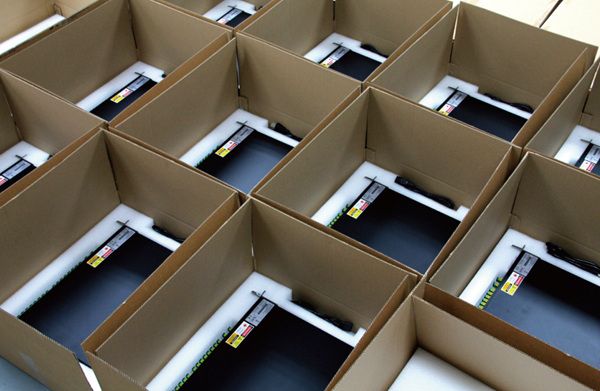
7 Steps to Safely Unpack Your GPON CATV EDFA
- External Box Audit: Before opening, inspect the primary shipping carton of the GPON CATV EDFA. Look for crushed corners, moisture stains, or compromised sealing tape. Photo-document any discrepancies immediately.
- Careful Extraction: Remove the unit from the outer shipping boxes and inner protective foam inserts. Avoid using sharp blades that could penetrate the chassis or optical pigtails.
- Visual Integrity Check: Conduct a 360-degree inspection of the PL2000x GPON CATV EDFA. Check for loose screws, dented panels, or cracked LCD touchscreens that may have occurred during transit.
- Manual & Safety Review: Read the included User Manual thoroughly. Familiarize your team with the specific safety symbols for Class 1M or Class 4 laser radiation relevant to your model.
- Operational Readiness: Ensure the installation environment meets the specified humidity and temperature requirements before proceeding to rack mounting.
- Claim Documentation: If any physical damage is discovered, notify the shipping carrier and Premlink technical support within 24 hours. Formal documentation is required for insurance claims.
- Packaging Retention: Crucial: Save all original shipping boxes and custom foam inserts. These are specifically engineered to protect the high-precision optical alignment of the CATV GPON EDFA during any future re-shipment or calibration.
Standard Kit Inventory: What’s Inside?

Every PL2000x Series GPON CATV EDFA dispatched from the Premlink factory includes a standardized kit to ensure immediate deployment capability. Please verify the following components:
| Component Item | Quantity | Purpose |
|---|---|---|
| PL2000x EDFA Main Unit | 1 Set | High-power optical amplification |
| Power Cable(s) | 1 or 2 | AC 110/220V or DC 48V (Dual for Redundancy) |
| Official Testing Report | 1 Copy | Factory performance benchmarks (dBm/NF) |
| User’s Manual & Quick Guide | 1 Set | Technical specs and UI navigation |
| Original Packing Box | 1 Set | Warranty-compliant shipping protection |
💡 Manufacturer’s Note on Reshipment: In the event of a warranty return, any additional damage incurred due to the use of non-original packaging will be the sole responsibility of the sender. Keeping the original box is the best way to protect your ROI.
FAQ: Post-Unpacking Setup
Q1: What is the first thing to check on the Testing Report?
A: Compare the “Actual Output Power” listed in the factory report with your order specifications. This ensures the GPON CATV EDFA meets your network’s optical budget requirements before installation.
Q2: Is the anti-static strap really necessary?
A: Absolutely. Static discharge can degrade the sensitive pump lasers inside the EYDFA, leading to premature failure or increased noise figures over time.
Q3: How do I verify the IP address after unpacking?
A: Once the unit is safely mounted and powered, you can follow our IP Configuration Guide to integrate it into your management VLAN.
Ready to power up your CATV GPON EDFA? For advanced configuration, read our deep dive into APC Mode Optimization or contact our technical team for remote assistance.